
LED floor screen
Coordinate panel layout, expected load, levelness and transitions to the surrounding floor.
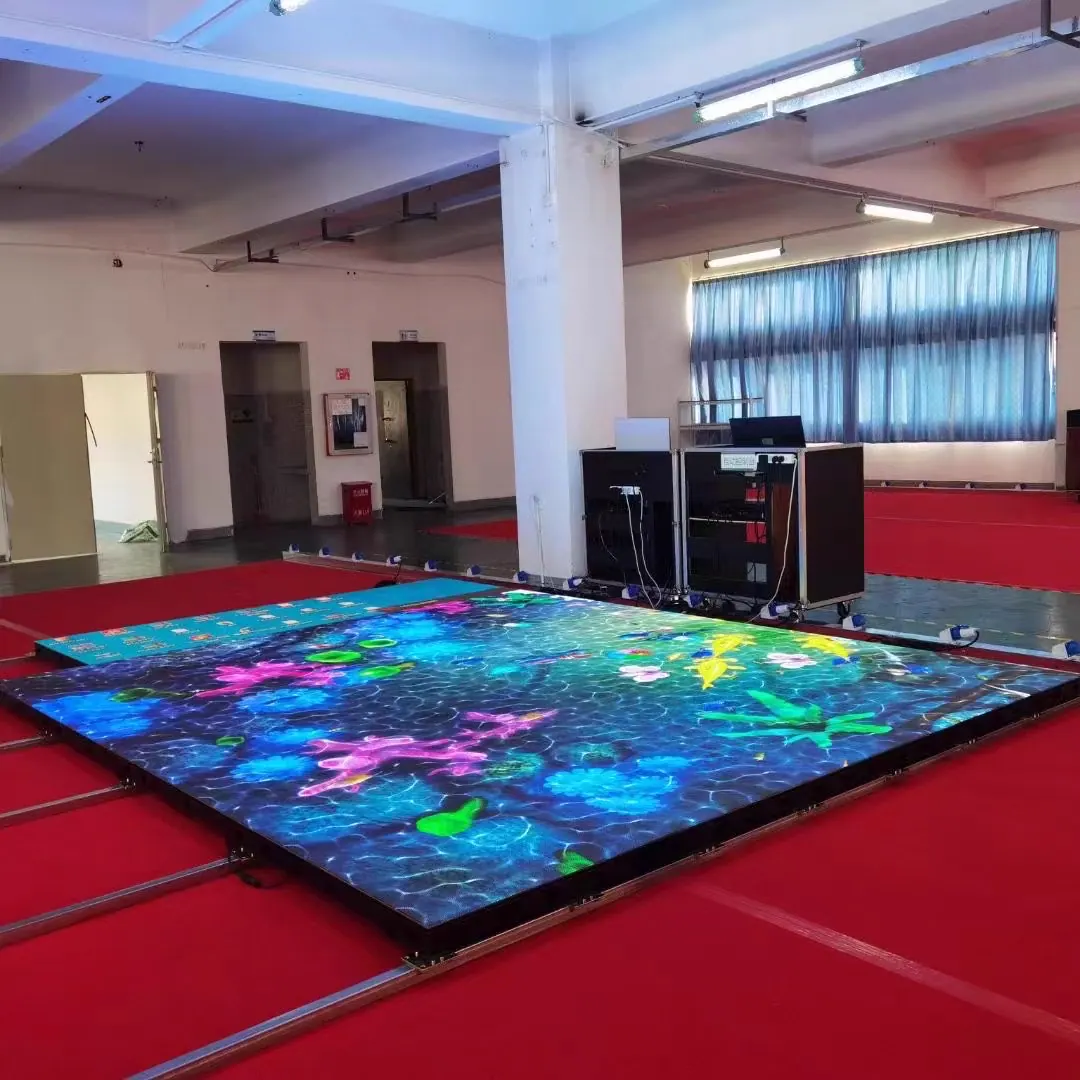
Floor, interactive floor and roller LED display
Floor and roller formats solve different installation needs. Floor displays require load and surface planning; interactive floors add sensors and content logic; roller displays prioritize flexible handling and a controlled roll-up structure.
Application, approximate screen size and destination are enough for an initial review.
Display format reference image
Product visuals
Review display form, structure and applications through the image gallery and video previews.


Video previews
Images illustrate floor and roll-up directions. Load, structure and interaction require project-specific confirmation.
Product directions
Use these directions to organize the project brief. Final configuration depends on the selected LED display, site and confirmed order.
Coordinate panel layout, expected load, levelness and transitions to the surrounding floor.
Plan visitor flow, sensor zones, response logic and the content production workflow.
Define the rolling direction, supporting frame, storage radius, handling method and operating frequency.
Align floor or roller displays with wall content, playback control and visitor circulation.
Configuration
These questions help match a display series to the project. Final values depend on the selected product and site conditions.
Define people, props, equipment and any rolling load.
Confirm subfloor flatness, finished height and edge transitions.
State whether sensor response and interactive content are needed.
For roll-up use, define travel direction, storage and handling.
Coordinate floor or roller area with media resolution and controls.
Keep panels, power and signal parts reachable.
Send the application and approximate screen size to request data for a suitable series.
Request a Matching Data Sheet →Model reference
These figures describe load-bearing floor displays. Interactive sensing and roll-up formats require separate product selection.
| Model | Pixel density | Module size | Refresh rate |
|---|---|---|---|
| iFloor-P2.5 | 160,000 px/m² | 250 × 250 mm | ≥3,840 Hz |
| iFloor-P2.6 | 147,456 px/m² | 250 × 250 mm | ≥3,840 Hz |
| iFloor-P2.97 | 112,896 px/m² | 250 × 250 mm | ≥3,840 Hz |
| iFloor-P3.91 | 65,536 px/m² | 250 × 250 mm | ≥3,840 Hz |
Floor load, surface protection, sensing, cabinet layout and support structure are confirmed for the selected model and installation. These figures do not describe roller displays.
Request a model-matched data sheetManufacturer review
A finished specification is not required for the first product review.
Before configuration
Clear inputs make the proposed LED display, included scope and quotation easier to compare.
Describe people, props, equipment and any rolling loads.
Confirm flatness, height allowance, edge treatment and water exposure.
Define whether playback is standard, triggered or linked to tracking.
Keep panels, power and signal components reachable for inspection.
Buyer FAQ
These answers help prepare a clearer request for quotation. Model-specific values are confirmed in the quotation and matching product information.
No. Standard playback and sensor-based interaction are different product directions and should be specified early.
Not necessarily. A roller display needs the complete rolling structure, module arrangement, cable route and handling method to be designed as one product direction.
For a floor, share a floor plan and load route. For a roller display, share the opening, travel direction, rolled storage space and installation concept.
Start with a rough project brief
Share the application, approximate width and height, viewing distance, installation environment and destination. Detailed drawings are helpful but not required for the first reply.