
Quick answer. A front-service LED display is maintained from the viewing side. A rear-service LED display is maintained from behind the cabinet. If a screen will sit against a finished wall, review a front-access configuration first. If a service area already exists behind the screen, review rear access. Ask the supplier to show how each part is replaced on the quoted cabinet, including LED modules, power supplies and receiving cards.
Which service direction fits your site?
- Front service. A starting point for wall-mounted or recessed indoor screens with little or no access behind the wall. The viewing side needs room for the service tool, the technician and the part being removed.
- Rear service. A starting point for installations with an accessible service area behind the cabinets. The drawing should show the route to that area, the working clearance and how the part can be taken out.
- Mixed access. A cabinet can have different service routes for different parts. Ask whether any power or control components require rear access or sit in a separate equipment rack.
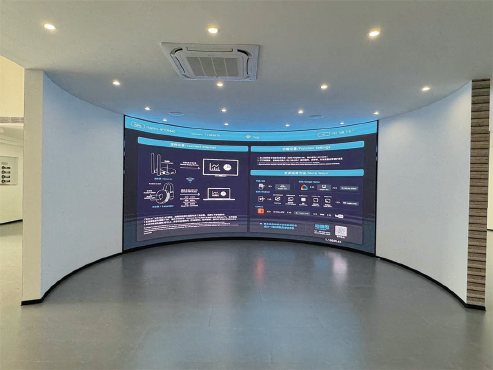
Six checks before approving the installation
1. Mark the finished wall and nearby obstructions
Provide an elevation and a side section with the intended screen size. Mark trim, wall panels, columns, millwork and any equipment in front of the screen. Ask which finishes, if any, must be removable so that an edge or corner module can be replaced.
2. Request a service route for each component
Ask the supplier to mark the access direction for the LED module, power supply, receiving card and internal connectors. Have them identify the service tool and any neighboring parts that need to be removed first. Check the cabinet drawing against the specific cabinet model in the quotation.
3. Check the path from the technician to the part
Draw the route to the working position and include the room needed to move the part out. For front access, consider furniture, stage equipment and the working height. For rear access, include the size and position of access doors and any obstructions along the route. Have the installation team confirm the working space for the actual site.
4. Coordinate service access with ventilation and cables
A cabinet that opens from the front may still require room behind it for mounting, cables or airflow. Put cable exits, connection points and the ventilation arrangement on the same drawing as the service route. Confirm that installed cables and finished trims leave the planned access usable.
5. Agree on isolation and service windows
Ask the installer which part of the display would be taken out of service for a typical replacement and where the relevant isolation points are located. If the screen is used for events or public information, agree on who can access it and when work can take place.
6. Include a replacement demonstration in handover
Request a demonstration on the quoted cabinet in a representative mounting setup. Ask for the component list, tool requirements, spare part identifiers and any settings needed after replacement. Record which tasks the venue team can handle and which go to the integrator or supplier.
Questions buyers ask
Can a front-service LED display be mounted flush with the wall?
Some configurations can be integrated into a finished wall. Ask for the installed depth of the proposed cabinet and mounting assembly, plus the room needed for cables, ventilation and part removal. Have the wall detail checked before the surrounding finishes are built.
How much space does a rear-service LED display need?
Use the clearance shown on the selected cabinet’s service drawing and confirm it with the installer. The access door, frame members, cable runs and the dimensions of the part being removed can all affect the required space.
Does a front-removable LED module mean the cabinet is fully front-serviceable?
Module access describes one part of the cabinet. Ask the supplier to specify how the power supply, receiving card and connections are reached before approving an installation with no rear access.
What to include in a quotation request
Send the approximate screen dimensions, a wall elevation or site photograph, the available installation depth, and whether the site has rear access. Ask for a drawing that marks replacement routes and shows which equipment is included in the quote.
Compare indoor LED cabinet references and review the installation and maintenance guide before you request a cabinet and service-access review.